
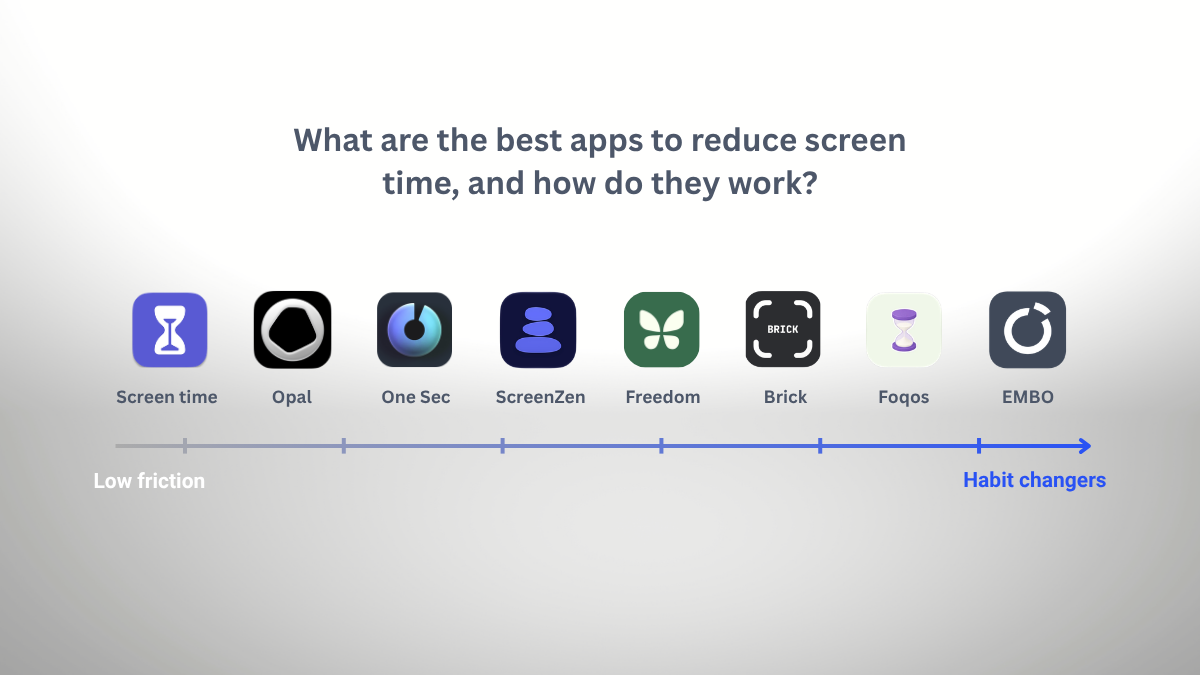
Most "best screen time apps" lists rank features. That misses why some tools change behaviour and others become another ignored notification. Every useful option in this space adds friction somewhere between you and your phone. The question that matters is where that friction lives:
In a report: you see the number (Screen Time, Opal analytics).
In a pause: you wait or breathe before the app opens (One Sec, ScreenZen).
In a lock: the app stays closed until a rule says otherwise (Freedom, Habit Doom, Brick, Foqos).
In the urge: something catches the reach and gives your hands another job (EMBO).
Pick the wrong kind and you'll be shopping for another app in a month.
Too long, don't want to read
- Tracking alone rarely works. iOS Screen Time is free and easy to ignore.
- Best free hard block on iPhone: Foqos with any cheap NFC tag.
- Best pause tool: One Sec (friction at open; no hard block).
- Best cross-device session block: Freedom.
- Keep breaking out of locks? EMBO works on the urge on top of the apps.
Why most screen time advice fails
"Just use your phone less" ignores the design of the device. Feeds are built without stopping points. Notifications invent reasons to pick up the phone. By the time you're tired or bored, willpower is the weakest tool in the room.
A 2012 experience-sampling study found that desires around media use were among the hardest everyday temptations to resist. That is why a report with an Ignore button so often loses, and why the apps below are worth sorting by how they intervene, not by how pretty their charts are.
The options, by friction type
1. Tracking: useful awareness, weak enforcement
Apple Screen Time (free). Already on your iPhone. Daily and weekly reports, App Limits / Time Allowances, Schedules / Downtime. Best for knowing the number. Weak for changing it, because Ignore Limit is one tap away unless someone else holds the passcode.
Opal (free tier; Pro from about $99.99/year). Strong analytics and focus sessions. Blocking relies on iOS restrictions and can be bypassed; Hard Mode on Pro helps. Choose it when you want to understand your habits in detail. Skip it if you already know the problem and keep finding workarounds.
2. Pause tools: catch the autopilot open
One Sec (free for limited use; about $19.99/year). Adds a short pause and reflection before a chosen app opens. You can still go in afterward. A 2023 PNAS study of the same approach found people dismissed 36% of openings when interrupted, with actual openings down 57% over six weeks. Best when your problem is impulse opens, not all-day sessions.
ScreenZen (free / donations). Escalating delays through the day. Clever for gradual reduction. Same limit as One Sec: if you wait out the delay, the app opens.
3. Hard blocks: change the default
Foqos (free, open source, iPhone). Uses Screen Time APIs with any NFC tag or QR code. No account, no subscription. Closest free version of a physical tap-to-block setup. See our Brick alternatives comparison for how it stacks up against paid hardware.
Brick ($59 one-time). Tap to block, tap to unblock. Modes for work, sleep and family time. Strict Mode and Emergency Unbricks. Strong when you can leave the Brick in one place.
Freedom (from about $8.99/month, or yearly / lifetime plans). Blocks apps and sites across phone and computer in scheduled sessions. Best when your distraction moves between devices. You still have to remember to start a session.
Habit Doom (free tier; paid from about $4.99/month). Distracting apps stay locked until you complete daily habits. Best if you want access earned by action, not by a clock. Not ideal if you need "block 9–5" scheduling.
AppBlock and similar Strict Mode apps. Schedules plus locks that resist uninstalling during a session. Useful when you need software that refuses to negotiate. Pricing and features change often; check the current free tier before you commit.
4. The urge: a different layer
EMBO (one-time purchase, no subscription). Instead of locking apps, EMBO steps in when you reach for one.
1. Flag the apps that drain you in the EMBO app.
2. Opening one on impulse shows a shield that redirects you to the EMBO device.
3. Hold EMBO. Gentle pulses at a heartbeat-like 1–2 Hz rhythm target the median nerve in your palm, linked to calming parasympathetic activity, so the craving can pass.
4. If you still want the app, you can open it. Now it's a choice.
EMBO doesn't replace a hard block during deep work. It covers the dozens of small reaches that make locks exhausting: the queue, the commute, the minute before sleep. We call those Solo Moments.
What they cost over two years
Sticker prices hide subscriptions. Rough totals if you keep the tool for two years (prices as listed by each company in late 2026; always recheck):
| Option | Friction type | 2-year picture |
|---|---|---|
| Apple Screen Time | Tracking / soft limits | $0 |
| Foqos | Hard block (NFC/QR) | ~$0–10 (plus a tag) |
| ScreenZen | Pause | $0 (donations optional) |
| One Sec | Pause | ~$40 at yearly pricing |
| Habit Doom | Habit-gated lock | ~$0–120 depending on plan |
| Brick | Hard block (hardware) | $59 |
| Opal Pro | Track + sessions | ~$200 at yearly pricing |
| Freedom | Cross-device sessions | ~$80+ at yearly pricing |
| EMBO | The urge | One-time, no subscription |
Which one fits you?
| If this sounds like you… | Start with |
|---|---|
| "I don't even know where the time goes" | Screen Time or Opal for two weeks, then pick an enforcement tool |
| "I open apps on autopilot all day" | One Sec or EMBO |
| "I need deep-work blocks at a desk" | Foqos or Brick |
| "I scroll on my phone and my laptop" | Freedom |
| "I only unlock apps after I earn them" | Habit Doom |
| "I keep bypassing every blocker" | EMBO for the urge, plus a passcode someone else holds for Screen Time |
You can combine layers. A hard block during work hours plus EMBO for the rest of the day is a stronger system than either alone.
The bottom line
The best screen time app is the one whose friction matches your failure mode. Tracking shows the problem. Pauses interrupt autopilot. Locks remove access. EMBO handles the craving that makes you fight those locks. If you're already reading comparison articles, awareness alone is probably not enough. Pick one approach, try it for two weeks, and judge it by pickups and evenings, not by how the marketing sounds.
Fix the Brainrot and Regain your Focus
EMBO helps you ride out the urge to grab your phone, so focus comes back as a habit rather than a fight. It's a one-time purchase with the app included and no subscription.
Frequently Asked Questions:
-
It depends on the approach. Pause tools can cut a large share of impulse opens for many people. Hard blockers work when you can't easily bypass them. Tracking-only tools rarely change behaviour on their own.
-
Apple Screen Time is free but easy to ignore. Foqos is the strongest free hard-block option on iPhone if you're willing to use an NFC tag or QR code. ScreenZen and One Sec offer free tiers with limits.
-
Yes: grayscale, charging outside the bedroom, deleting apps from the Home Screen. Those still rely on willpower at weak moments. Apps and devices add enforcement that doesn't depend on how you feel at 11 p.m.
-
There is no universal number. A better test is whether the hours displace sleep, movement, work or relationships. CDC data has found that about half of U.S. teens report four or more hours a day outside schoolwork, which is common, not a target.
-
No. EMBO doesn't lock your phone. It catches the moment you reach for a flagged app and redirects you to the EMBO device so you can ride out the urge.
Sources
Opal, pricing
Brick, product page
Grüning, Riedel & Lorenz-Spreen (2023), one sec study, PNAS
Hofmann et al. (2012), Everyday temptations, Journal of Personality and Social Psychology
CDC / NCHS Data Brief No. 513 (2024), Daily Screen Time Among Teenagers
AUTHOR
Alonso Arribas
Founder and CEO, EMBO
Alonso is the founder of EMBO. He holds a Bachelor in Biomedical Engineering from University of Maryland and University Carlos III, and has actively taken part in the end-to-end design and production of EMBO, both the physical device and the app.
